
The Backpack RTK section covers the backpack-mounted RTK kit for Hovermap, which enables walking scans with high-accuracy GNSS positioning for georeferenced point clouds. This includes the components in the kit, the steps to assemble the hardware before a scan, and how to monitor the RTK status during a scan.
Included in kit
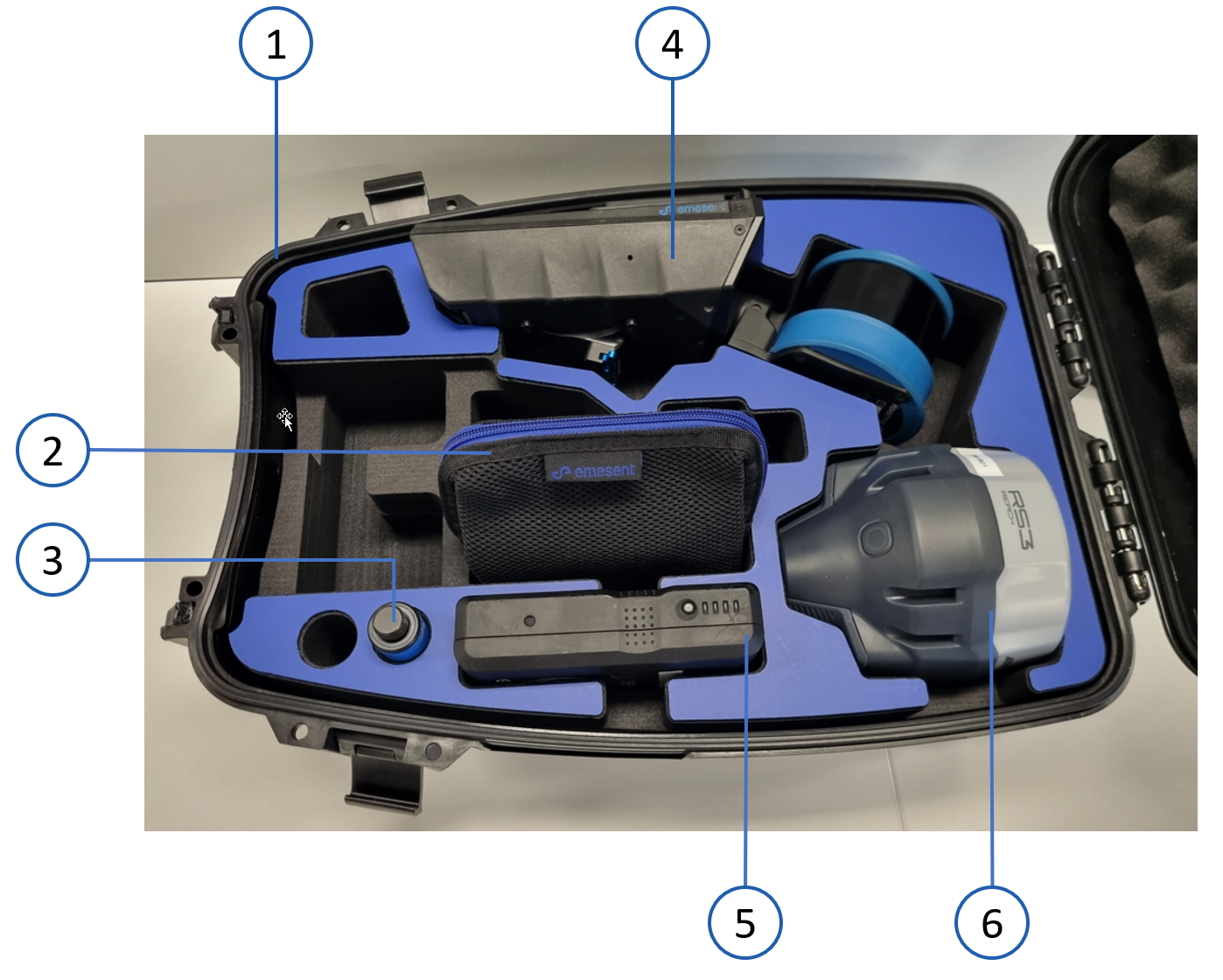
Item | Component | Description |
|---|---|---|
1 | Protective hardcase backpack | Resin hardcase backpack with the RTK and Hovermap mount. |
2 | Cable bag | Contains the GNSS cable, a Lemo to Lemo cable for the Emlid, Trimble, or Leica receiver, and the Hovermap cable, which connects the Hovermap ST or ST-X to the Backpack RTK. |
3 | GNSS spacer pole | Extension pole that attaches to the Backpack RTK to mount the GNSS receiver. |
The Backpack RTK kit is available without the GNSS cable when it is purchased together with the Vehicle RTK kit.
Pictured but not included
The following items are shown in the image but are sold separately.
Item | Component | Description |
|---|---|---|
4 | Hovermap ST or ST-X | Emesent mapping payload. |
5 | V-mount battery and battery charger | Main power source for the Hovermap and the GNSS receiver. |
6 | GNSS receiver | Refer to Supported GNSS receivers for the compatible Emlid, Trimble, and Leica models. |
Additional hardware
The following hardware is not supplied in the Backpack RTK kit.
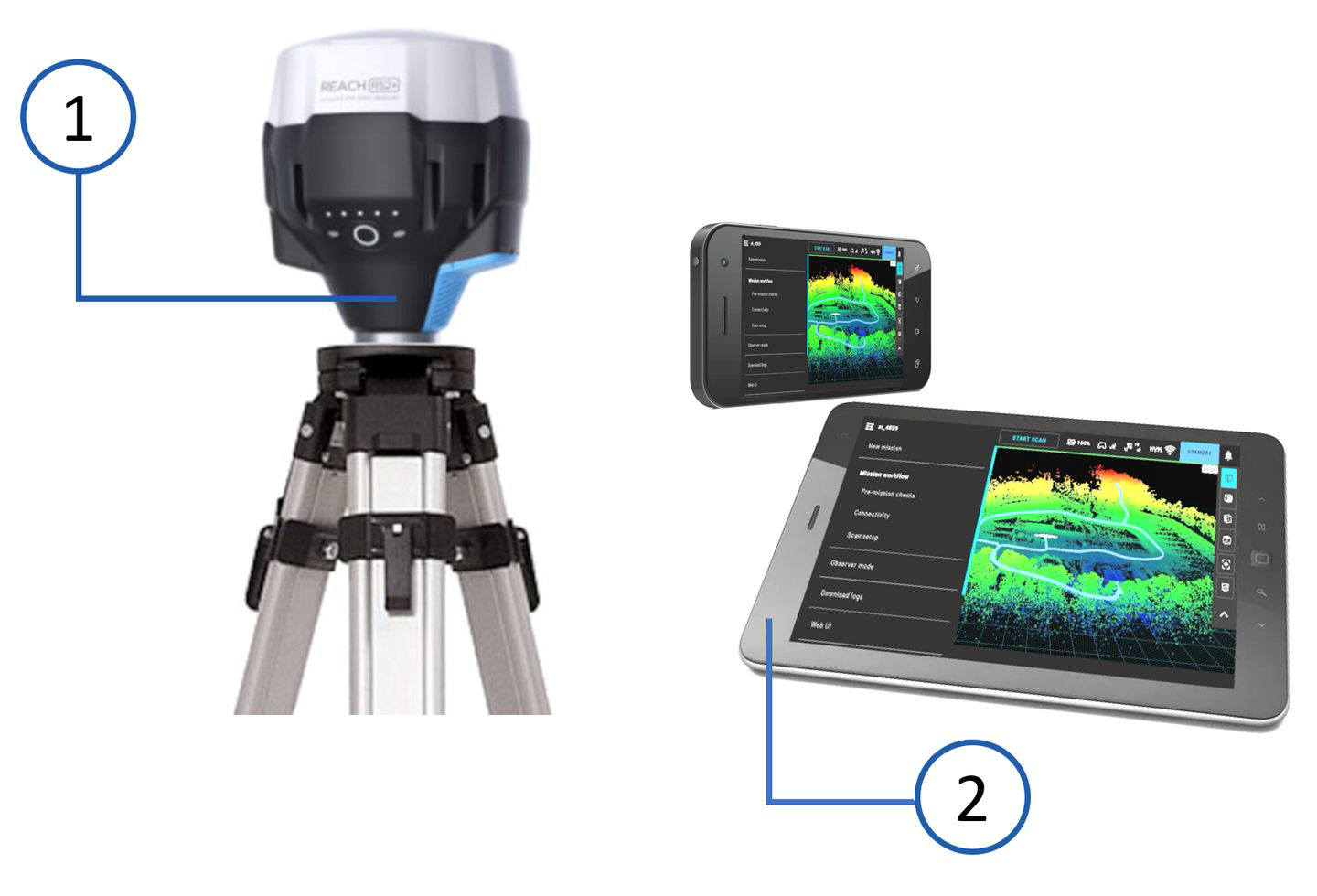
Item | Component | Description |
|---|---|---|
1 | Base station setup | Optional. A compatible GNSS receiver and a surveying tripod. This is necessary only when a CORS (Continuously Operating Reference Stations) network is not used to supply the RTK corrections. |
2 | Smartphone or tablet | Configures the GNSS receiver settings through the receiver's own application, and shows the RTK status in Emesent Commander. |
3 | Computer | PC or laptop that runs Windows, macOS, or Linux, with a current version of Chrome, Firefox, Safari, or Edge. |
In this section
Hardware setup: how to assemble the Backpack RTK and attach the Hovermap and the GNSS receiver.
Monitor RTK status: how to check the RTK position and accuracy in Emesent Commander.