
This article explains how to connect a Leica GS18 GNSS receiver to a Hovermap with the Vehicle RTK or Backpack RTK mount. Use this procedure to prepare the hardware before the receiver settings are configured.
What you will need
Hovermap unit
Vehicle RTK or Backpack RTK mount, assembled. Refer to Backpack RTK hardware setup or Vehicle RTK hardware setup.
GNSS adaptor cable
Leica cable (black Lemo connector)
100 mm spacers x2 (Leica GS18 with Backpack unit only)
Procedure
Step 1: Connect to Hovermap
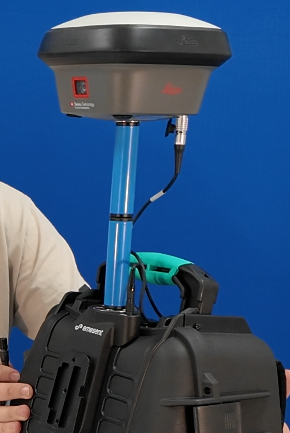
Confirm that the Hovermap and the GNSS receiver are attached to the Vehicle RTK or Backpack RTK mount.
|
|
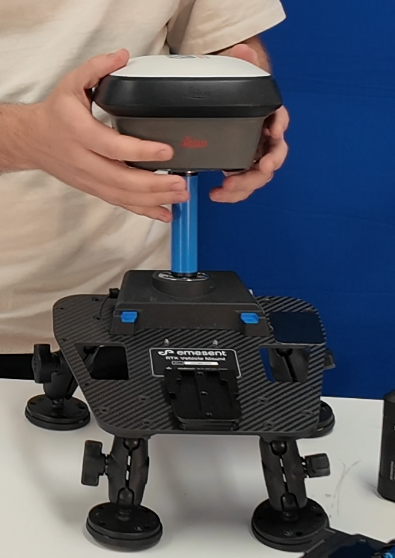
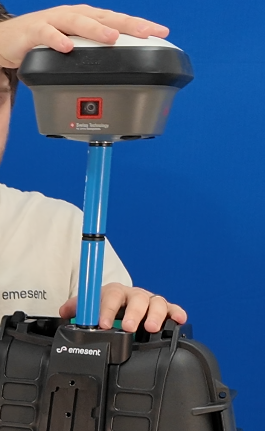
When the Leica GS18 is used with the Backpack unit, use both 100 mm spacers. This gives a total offset of 200 mm and makes sure that the offset in Aura is correct.
Step 2: Connect the GNSS adaptor cable
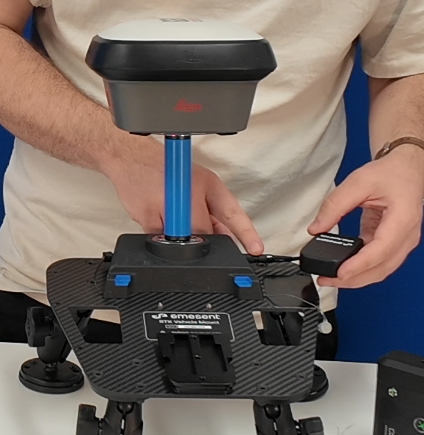
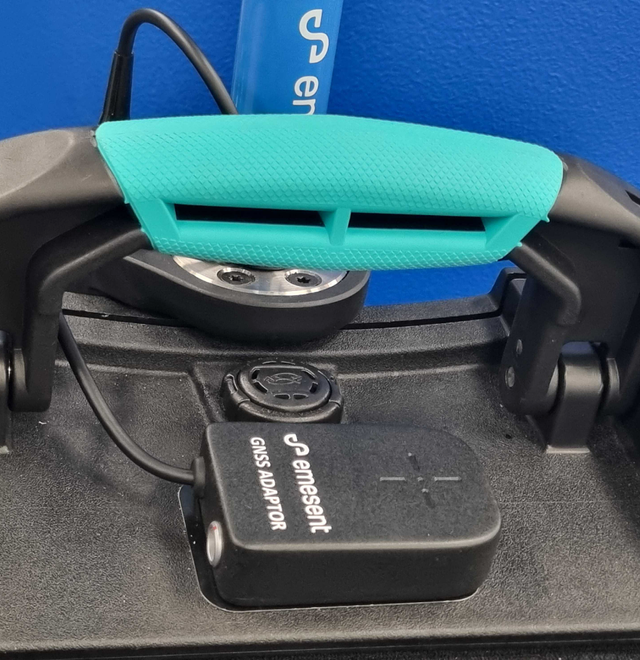
Plug the GNSS adaptor cable into the RTK mount.
Fasten the adaptor to the magnetic plate.
Step 3: Connect the Leica cable
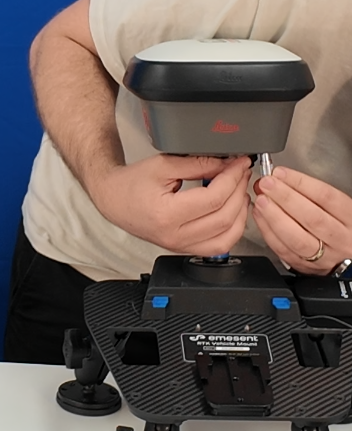
Plug the Leica cable into the receiver.
Plug the other end (black Lemo connector) into the GNSS adaptor port.
|
|
Outcome
The Leica receiver is mounted and connected to the Hovermap. The receiver settings must be configured before a scan.
Additional information
Configure Leica receiver: set the NMEA, tilt, and antenna settings. Do this next.
Supported GNSS receivers: the Leica models supported by Backpack RTK and Vehicle RTK.
Troubleshooting RTK: diagnose RTK setup and processing issues.