
This article explains how to configure a Leica GS18 GNSS receiver for use with Hovermap using Leica Captivate Simulator. Use this procedure to set up NMEA communication and antenna settings so that the receiver can communicate correctly with Hovermap during a mission.
What you will need
Hovermap unit running Emesent Cortex 3.3 or later
Emesent Aura 1.7 or later
Leica CS20 field controller, or a computer with Leica Captivate Simulator installed
Raw scan data from a Hovermap that uses Emesent Cortex 3.3 or later can only be processed in Emesent Aura 1.7 or later.
Procedure
Step 1: Connect to the Leica receiver with Leica Captivate Simulator
Do this step only when a Leica CS20 field controller or similar is not available, or when a computer is preferred.
Download and install Leica Captivate Simulator from the Leica website.
Connect to the Leica GS18 open Wi-Fi connection.
Start Leica Captivate Simulator. The simulator connects to the receiver automatically.
Step 2: Configure the NMEA settings
Configure the NMEA settings so that the Leica receiver communicates correctly with the Hovermap.
Go to Settings > Connections > All other connections > NMEA 1.
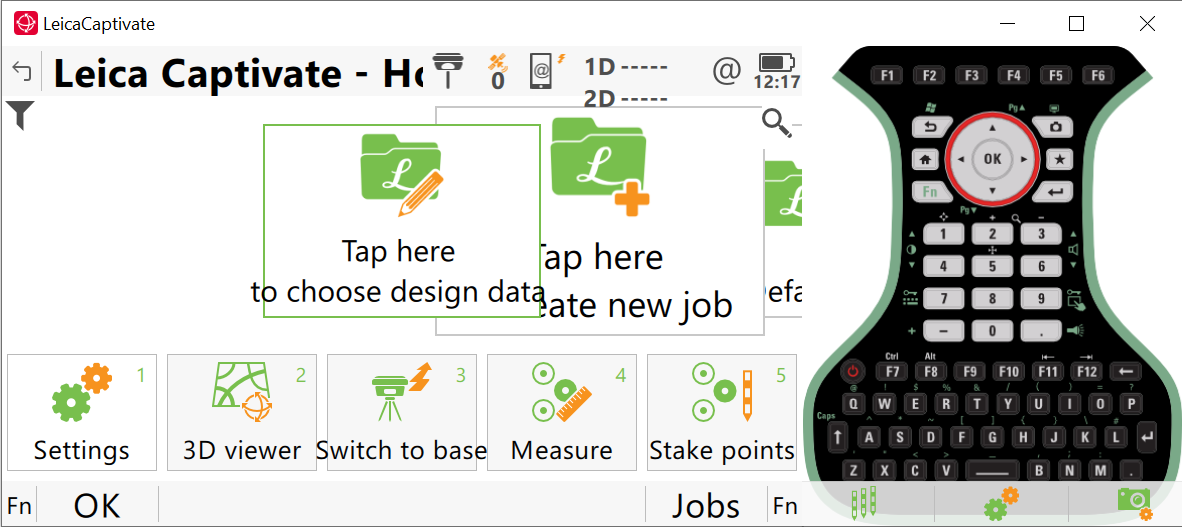
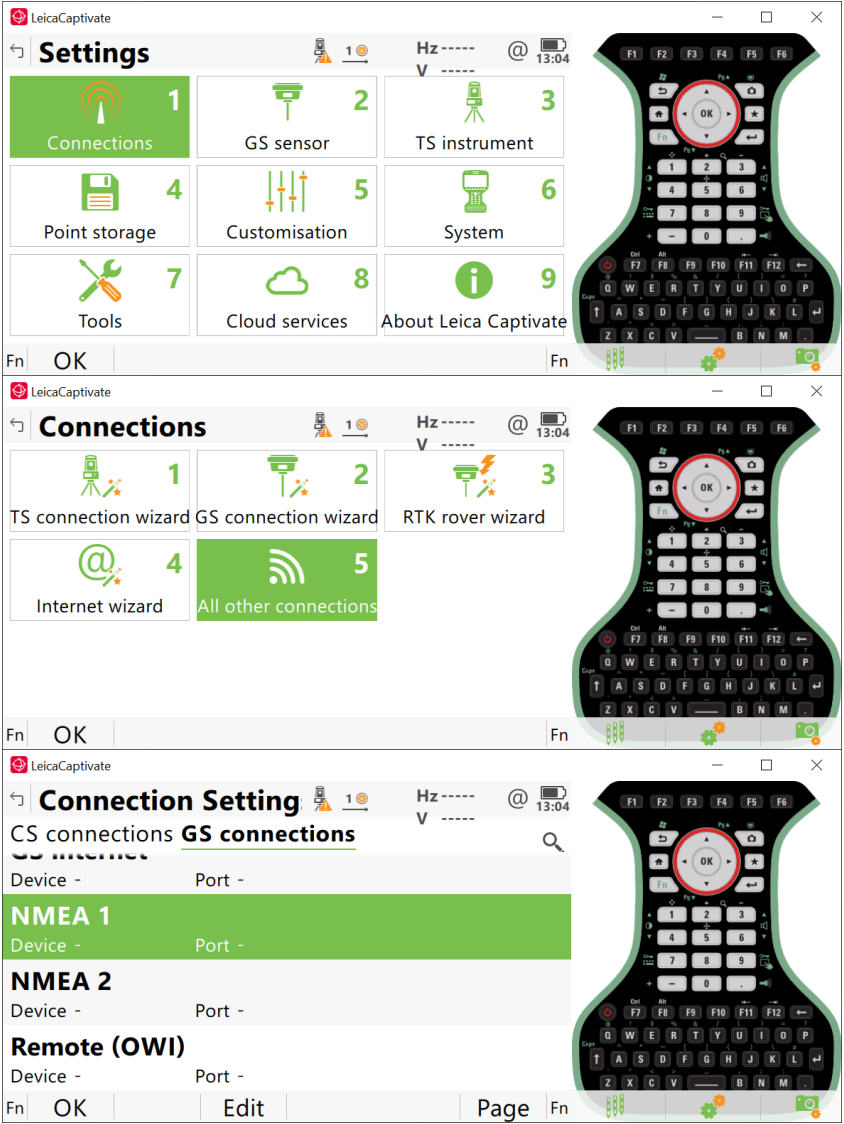
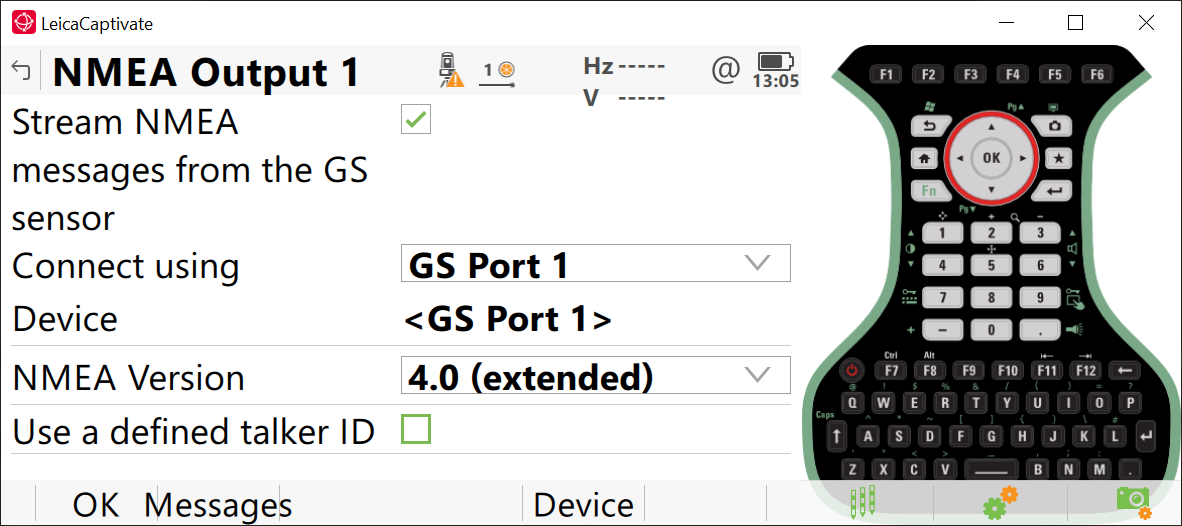
Open the NMEA settings panel and turn on Stream NMEA.
Set Connect using to GS Port 1.
Set NMEA Version to 4.0 (extended).
Leave Use a defined talker ID unchecked.
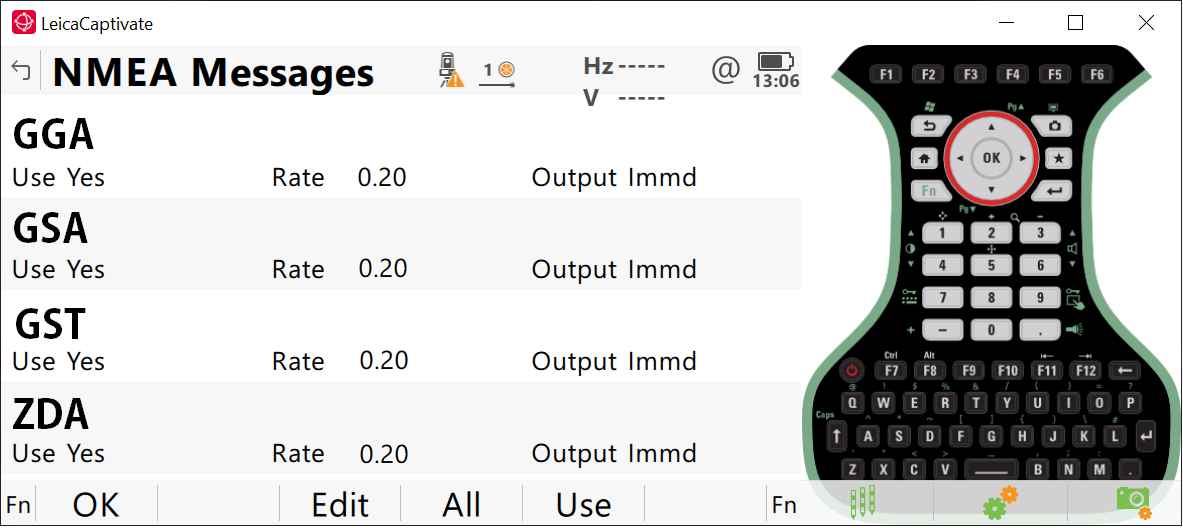
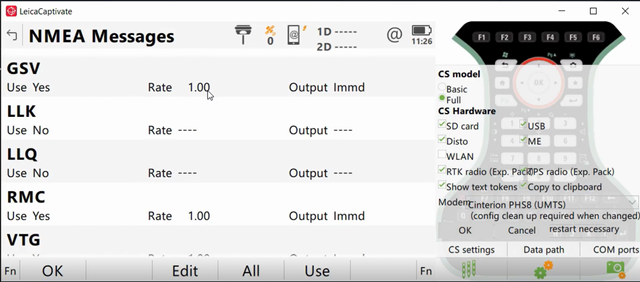
Select Messages and configure the output rates that follow.
Output rate | Messages |
|---|---|
0.20, Immediate | GGA, GSA, GST, ZDA |
1.00, Immediate | GSV |
Step 3: Configure the tilt and antenna height
Set the antenna height correctly. The Hovermap cannot detect an incorrect antenna height, and the scan data is georeferenced incorrectly.
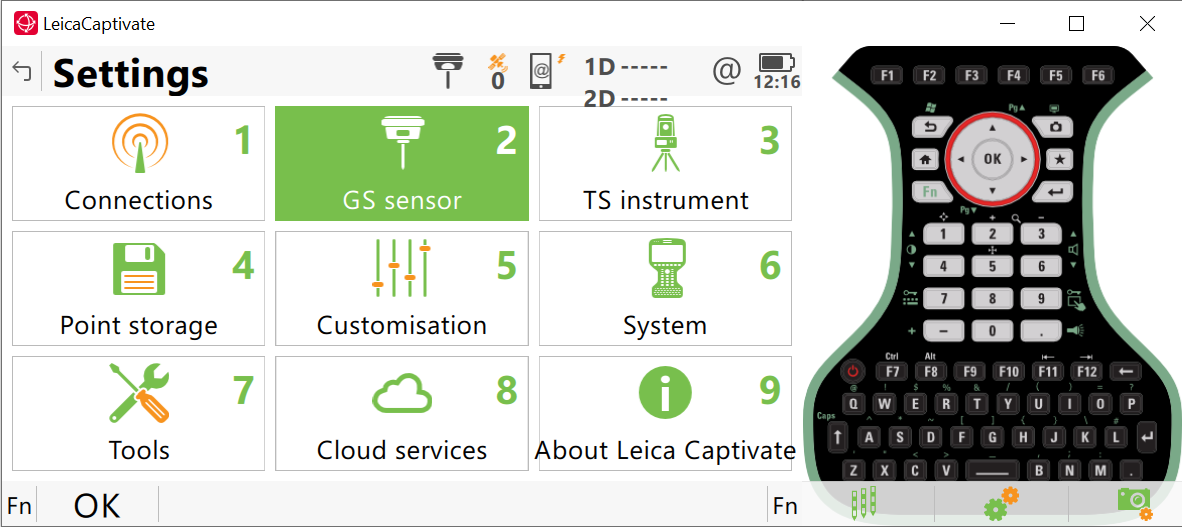
Go to Settings > GS Sensor.
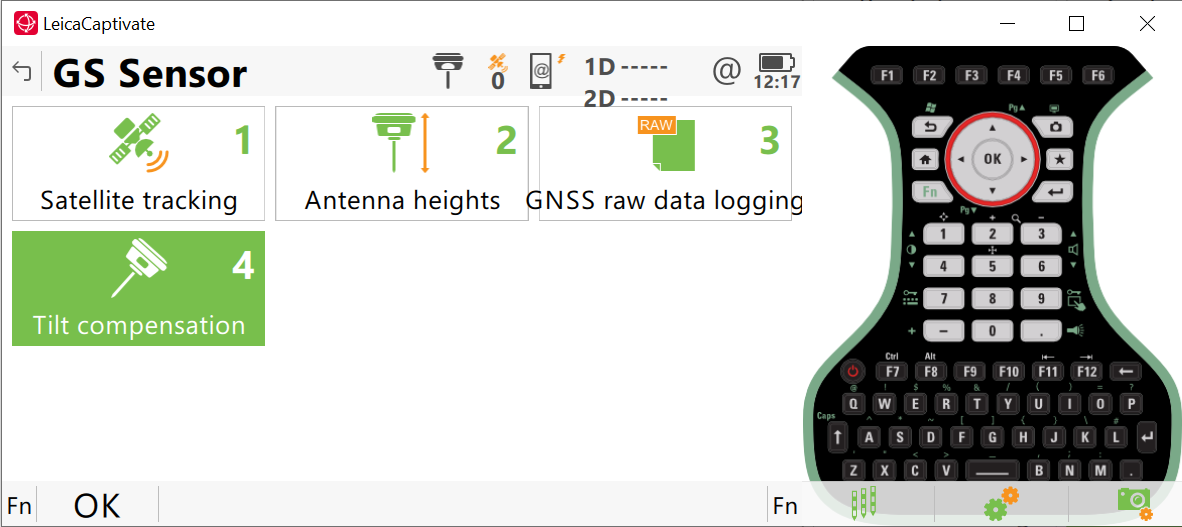
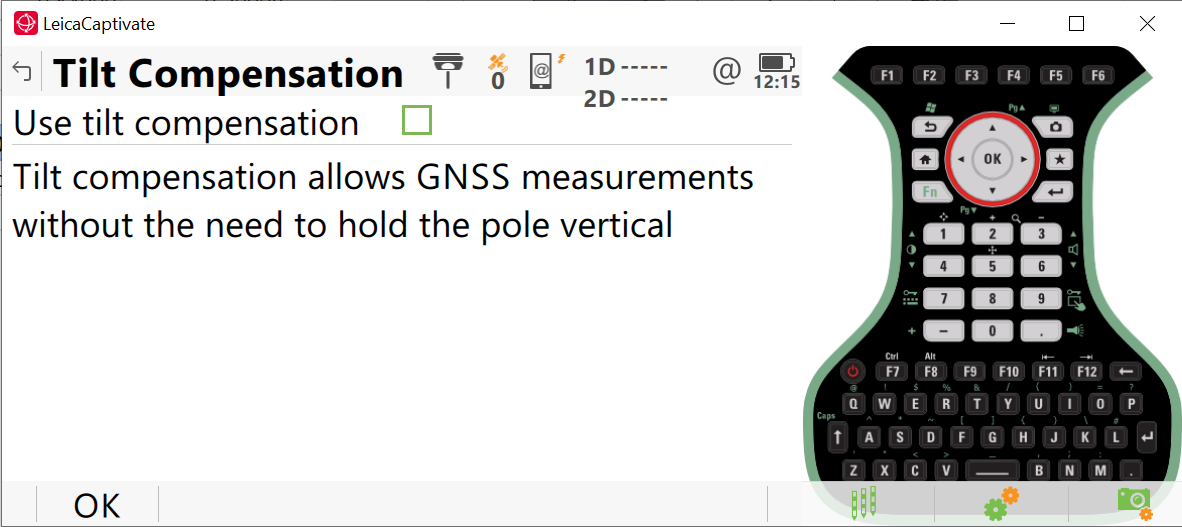
Leave Tilt Compensation unchecked.
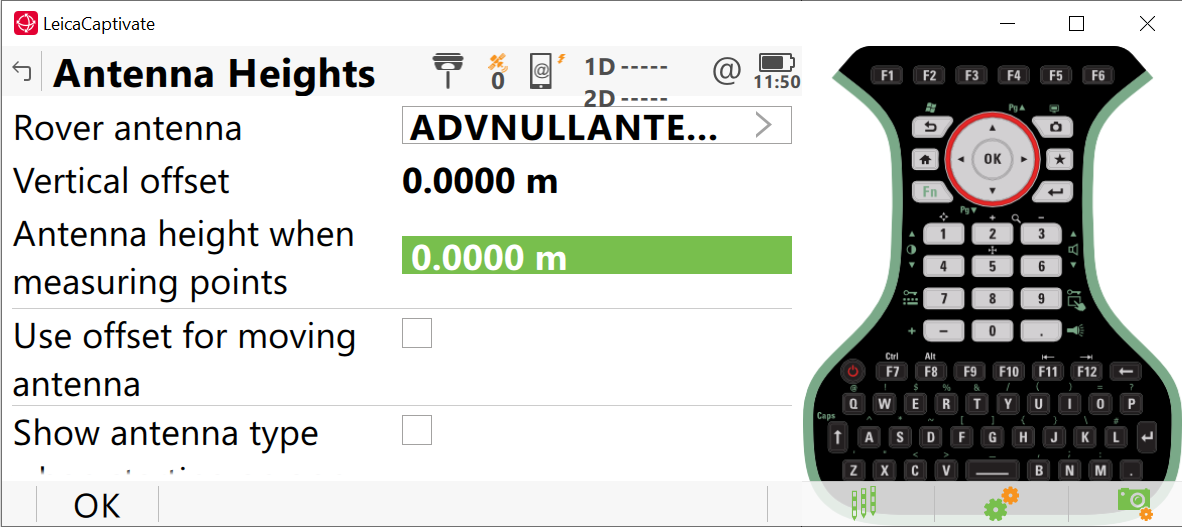
Set Rover antenna to ADVNULLANTENNA.
Set Antenna height to 0.00 m.
Outcome
The Leica receiver is configured to communicate with the Hovermap. The receiver is ready to start an RTK session.
Additional information
Configure the receiver settings only for a first-time setup, after a firmware upgrade, or when the settings were changed for another use case.
Set Antenna height to 0.00 m even when a spacer pole is used. Emesent Aura applies the mount offset during processing.
Start an RTK session with a Leica receiver: start the corrections stream and capture RTK data. Do this next.
Troubleshooting RTK: diagnose RTK setup and processing issues.