
The Vehicle RTK section covers the vehicle-mounted RTK kit for Hovermap, which enables mobile mapping missions with high-accuracy GNSS positioning from a vehicle platform. This includes the components in the kit, the steps to assemble the hardware on the vehicle, and the best practices for a vehicle scan.
Included in kit
Component | Description |
|---|---|
RTK vehicle mount (with magnetic feet) | Mechanical mount that secures the Hovermap to the vehicle, with the GNSS receiver and battery mount. |
Vacuum grip feet (x4) | Replace the magnetic feet with the vacuum grip feet to attach the vehicle mount to non-magnetic surfaces. |
Spanner | Changes the mount between the magnetic feet and the vacuum grip feet. |
100 mm GNSS spacer pole | Extension pole that attaches to the RTK vehicle mount to mount the GNSS receiver. |
GNSS cable | Lemo to Lemo cable for the Emlid, Trimble, or Leica receiver. |
Hovermap cable | Connects the Hovermap ST or ST-X to the RTK vehicle mount. |
.png)
Sold separately
Component | Description |
|---|---|
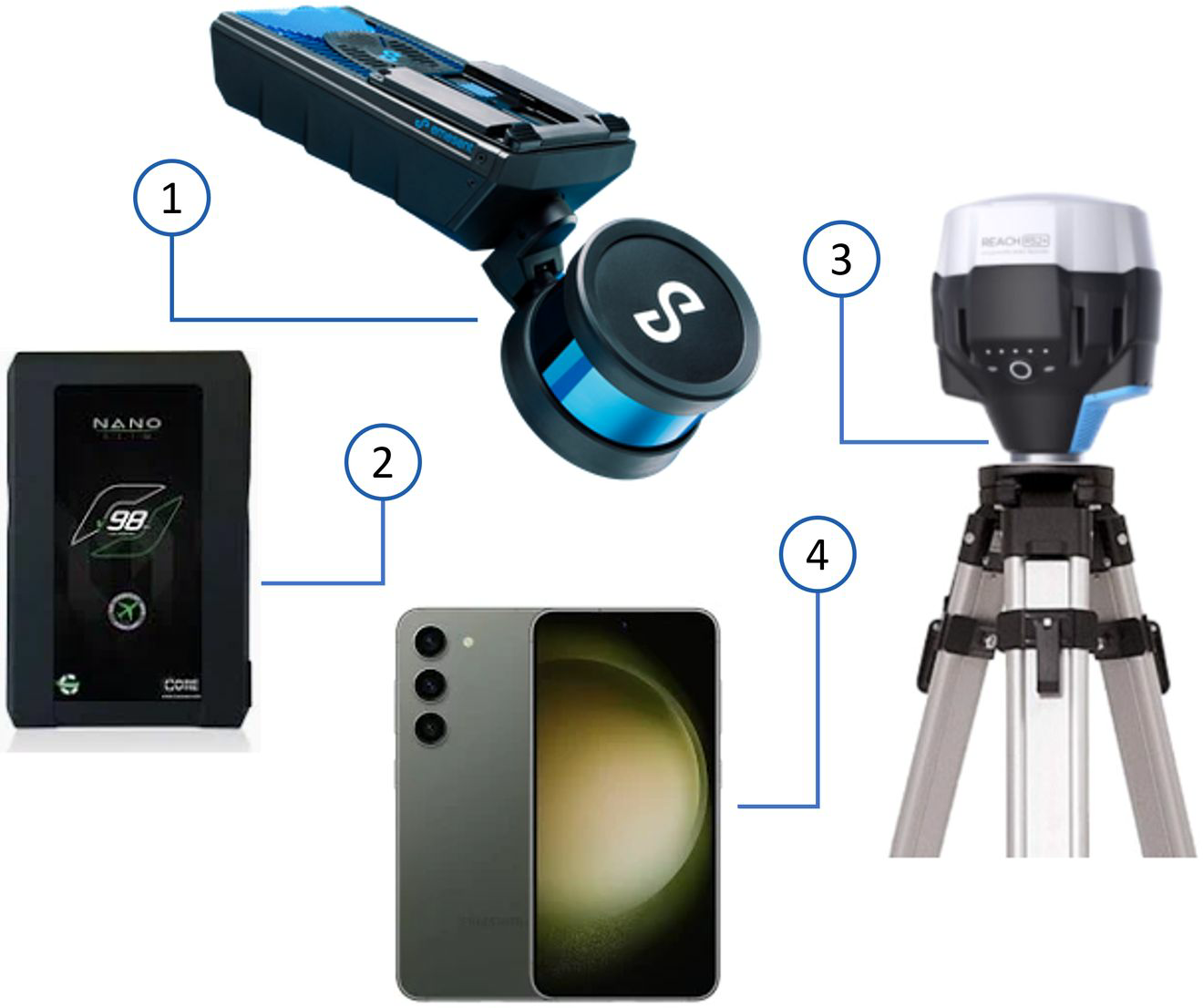
Hovermap ST or ST-X | Emesent mapping payload. |
V-mount battery and battery charger | Main power source for the Hovermap and the GNSS receiver. |
GNSS receiver | Refer to Supported GNSS receivers for the compatible Emlid, Trimble, and Leica models. |
The Emlid RS2+ GNSS receiver can be included in a Vehicle RTK kit purchased from Emesent.
Additional hardware
The following hardware is not supplied in the Vehicle RTK kit.
Component | Description |
|---|---|
Base station setup | Optional. A compatible GNSS receiver and a surveying tripod. This is necessary only when a CORS (Continuously Operating Reference Stations) network is not used to supply the RTK corrections. |
Smartphone or tablet | Configures the GNSS receiver settings through the receiver's own application, and shows the RTK status in Emesent Commander. |
Computer | PC or laptop with a current version of Chrome, Firefox, Safari, or Edge. |
In this section
Hardware setup: how to attach the Vehicle RTK mount to the vehicle and install the Hovermap and the GNSS receiver.
Best practice for Vehicle RTK: how to get the best georeferencing accuracy from a vehicle scan.