
What you will need
Hovermap unit
Vehicle RTK or Backpack RTK mount
Emlid cable with wire loop (black Lemo connector)
Procedure
Step 1: Setup the RTK Mount and Receiver
Refer to the appropriate Knowledge Base article for instructions on how to set up your mount and attach the GNSS receiver:
Step 2: Connect to Hovermap
The Hovermap and GNSS receiver should be attached to the Vehicle RTK or Backpack RTK mount.
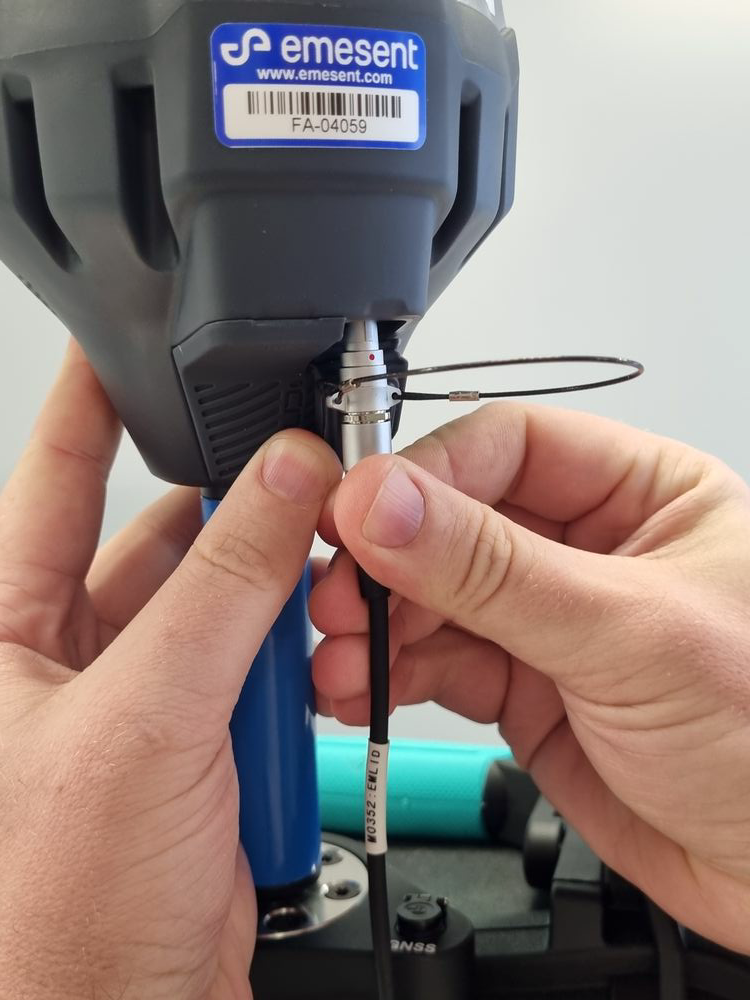
Plug the Emlid cable with the wire loop into the receiver and the other end (black Lemo connector) into the Adaptor port.
Outcome
The Emlid RS3 receiver is now physically connected to Hovermap and ready for configuration.