
Emesent Commander app registration is an important step in establishing a vital connection between the app and the robot (when connected to a Hovermap) allowing for effective communication and control. This initial registration serves as a crucial safety measure, preventing potential accidents and ensuring the smooth operation of your robot in various environments.
Internet connection is required to register the Emesent Commander app.
Register App (for DJI drones)
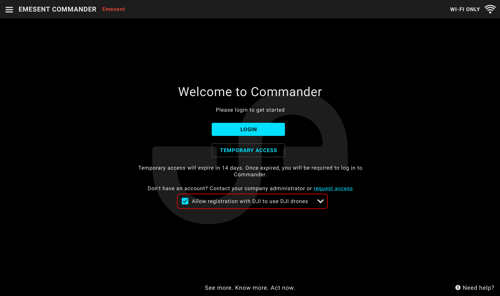
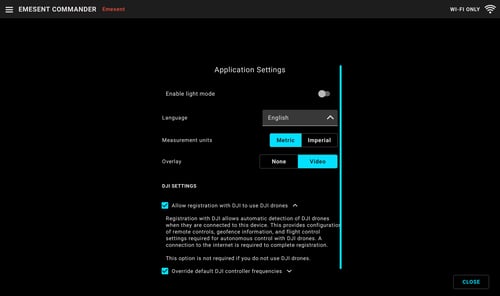
If you are using a DJI drone, you must enable the Allow registration with DJI to use DJI drones option to allow automatic detection of the DJI drone while connected to Emesent Commander. Registration with DJI allows the configuration of remote controls, geofence information, and flight control settings required for the autonomous control of DJI drones when they are connected to your Hovermap. This option can be enabled in two places:
-
In the user information page, when running the app for the first time
-
In the Application settings page of the Emesent Commander app
Register App (for DJI and non-DJI drones)
-
Connect the tablet to a Wi-Fi network with internet access.
-
Launch Emesent Commander.
-
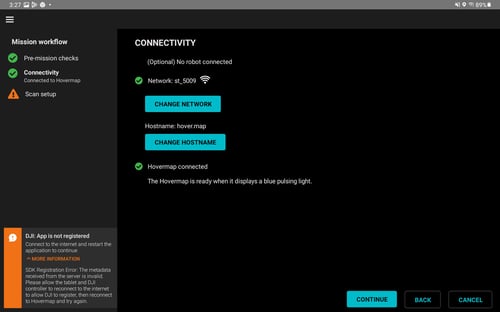
If you are not connected to the internet, the DJI: App is not registered notification is displayed in the following locations:
The notification is shown only if you select enabled the Allow registration with DJI to use DJI drones option on the user information page (when running the app for the first time) or on the Application settings page of the Emesent Commander app.
- In the Mission workflow
- If you choose to continue and start the scan, you will see the notification at the top of the display in the Main View.
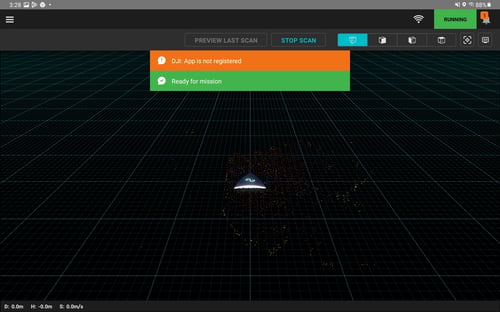
- If you close the message, it will still be available in the Notifications panel.
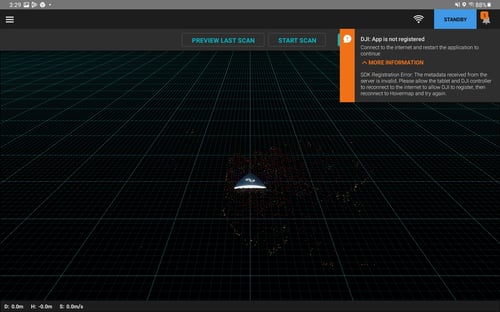
4. Ensure that the tablet is connected to Wi-Fi with internet access to clear the notification.