
The steps below may differ slightly depending on the Android version of your tablet. The general process remains the same across most Android devices.
Process
Step 1: Download Emesent Commander
Navigate to manage.emesent.com in your web browser (either on your desktop computer or tablet).
Log in with your Emesent account credentials.
Locate and download the Commander application package (.apk file) for your device.
Step 2: (Optional) Transfer the APK File to Your Tablet
(Only required if you downloaded on your desktop computer)
Choose one of the following methods to transfer the .apk file:
Option 1: Using External Storage Media
Copy the downloaded .apk file to external storage media (such as a USB-C drive or Micro SD card).
.png)
Insert the storage media into the appropriate port on your tablet.
Option 2: Direct USB Connection
Connect your tablet to your computer using a USB cable.
The tablet should appear as a USB device or removable drive on your computer.
.png)
Copy the .apk file from your computer to your tablet's storage.
Place it in an easily accessible folder, such as Downloads or Documents.
.png)
Step 3: Install Commander
The steps below may differ slightly depending on the Android version of your tablet.
Open the file browser app on your tablet.
Navigate to the location where you saved or transferred the .apk file.
If downloaded directly on the tablet, check the Downloads folder.
.png)
Double tap .apk file to start the installation process.
When prompted, tap Install to install the app.
If updating from a previous version, tap Update instead.
|
|
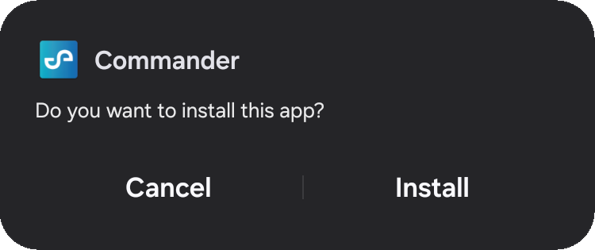
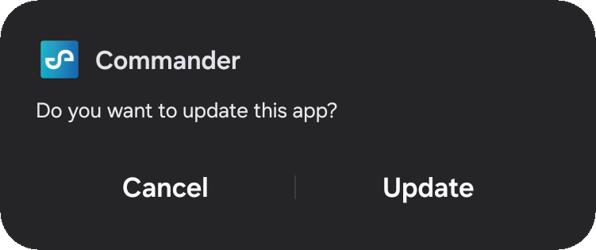
Follow any additional on-screen installation prompts.
If necessary, grant the file browser permission to install apps from unknown sources.
You may need to enable "Install from unknown sources" in your tablet's security settings.
Wait for the installation to complete.
A confirmation message will appear when installation is successful
|
|
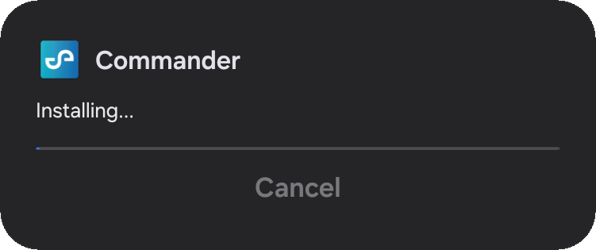
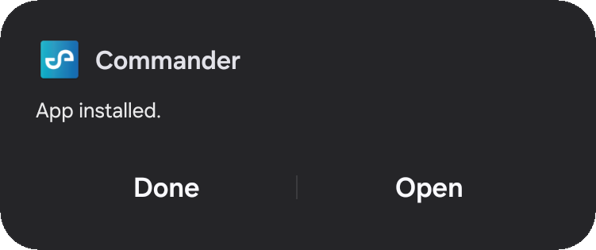
Step 4: Complete First Time Setup
Once Commander is installed, proceed with the first time setup process. For detailed instructions, see our Commander First Time Setup guide.